Barcode scanning
Any USB or Bluetooth scanner that types like a keyboard. Scan and the item goes on the sale.
Retail edition · Built in the Philippines
Scan, ring up and print a Sales Invoice with the details the BIR asks for. When the internet drops, the till keeps selling and sends everything once the line is back.
30 days free for one store. No card needed to start. Then ₱1,250 + VAT a month per store (₱1,400 with 12% VAT).
See pricing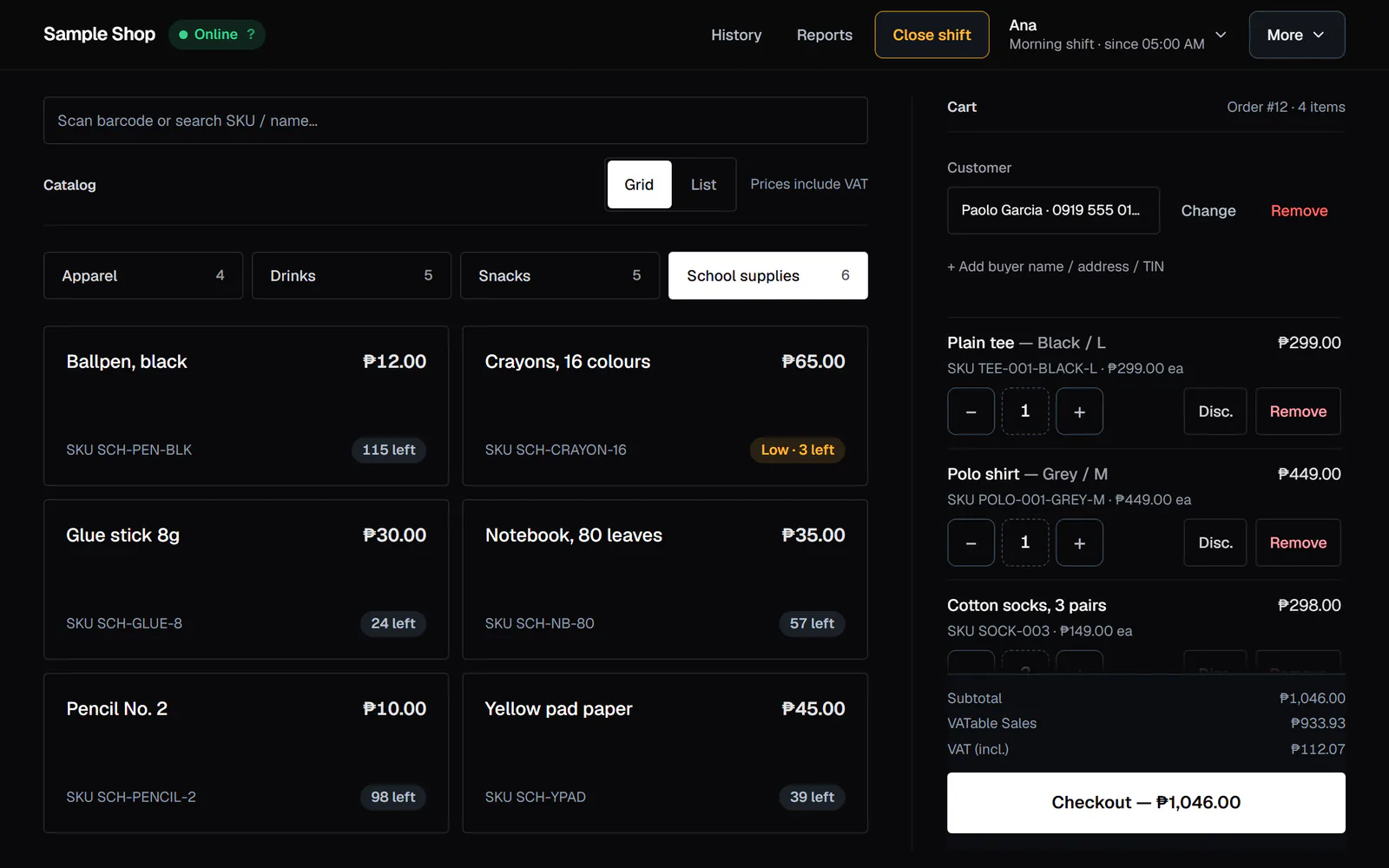
What you get
Any USB or Bluetooth scanner that types like a keyboard. Scan and the item goes on the sale.
Size, colour and so on, each with its own SKU, barcode, price and stock.
Labels with a barcode, printed on your receipt printer. From a computer, print them on A4 sheets.
Deliveries can arrive in parts. Each item remembers its usual supplier, and reorder suggestions come from your sales.
Several phones or tablets count together, then you post the count in one go.
Import products from Excel or CSV, up to 2,000 rows at a time. Move stock between your stores.
Offline
The till runs on a tablet or laptop you pair to your store, and it keeps its own copy of the day. Sales wait on it and send themselves when the line is back. The top bar always shows how many are still waiting.
A till stops taking sales after 14 days offline, 2,000 unsent sales or ₱500,000 of unsent sales, whichever comes first. It warns you from day 2.
A till registered with its own BIR machine number (MIN) also gives invoice numbers and takes the X and Z readings offline. Other tills print a temporary reference and get the invoice number when they reconnect.
BIR records
On every sale the till works out the VATable, VAT-exempt and zero-rated amounts, and the records below build up by themselves.
Practise first. A new store starts in training mode, so its invoices print TRAINING MODE. Turn it off once your BIR permit is approved.
How you start
Create your account, confirm your email, and add your store with its name, TIN and address.
Type in your products or import a spreadsheet. Give each cashier and manager a PIN.
Install Next P.O.S. Retail on the Android tablet, or open the till in a laptop’s browser. Make a pairing code in Tills & tablets, type it on the till, sign in with your PIN and ring your first sale.
Get Next P.O.S. Retail on Google PlayA checklist on your store’s Home page takes you through each step.
Pricing
One till included.
₱1,250+ VAT a month
₱1,400 a month with 12% VAT.
or ₱12,500 + VAT a year (₱14,000), which is two months free.
Prices are before VAT. 12% VAT is added to every charge.
Try it at your own counter first.
30 daysfree
FAQ
₱1,250 + VAT a month per store (₱1,400 with 12% VAT), with one till included. Each additional till costs ₱625 + VAT a month (₱700). Paying yearly costs ₱12,500 + VAT per store (₱14,000), which is two months free, and ₱6,250 + VAT (₱7,000) for each additional till. Customer displays and manager phones for the same store are free. Every store starts with a 30-day free trial, and no card is needed to start.
Nothing is charged automatically. We email you 5 days and 1 day before the trial ends. To keep the store, open Billing, choose monthly or yearly, and pay by card through PayMongo.
Yes. Since RR 7-2024 the main sales document is the Sales Invoice, and that is what the till prints, with your TIN, MIN, serial number and permit number (Acknowledgement Certificate or PTU), and the VATable, VAT-exempt and zero-rated amounts. A new store starts in training mode, so its invoices say TRAINING MODE while you practise. Turn it off once your BIR permit is approved.
Yes. Any USB or Bluetooth barcode scanner that types like a keyboard works. Scan and the item goes on the sale. You can also search by name, SKU or barcode. The till does not scan with a camera.
Yes. A product can have variants such as size and colour, each with its own SKU, barcode, price and stock.
On a paired tablet or laptop the till keeps selling: sign in with your PIN, open a shift, ring sales, print invoices, and void or refund with a manager’s PIN. Sales wait on the till and send themselves when the line is back. Closing a shift, QR Ph payments and the owner pages need the internet. A till stops selling after 14 days offline, 2,000 unsent sales or ₱500,000 of unsent sales, whichever comes first.
An Android tablet for each till, with the Next P.O.S. Retail app from Google Play. A paired laptop also works and prints through the browser. An 80 mm thermal receipt printer, connected by USB or to your network, printing through the app or the RawBT app. A cash drawer plugged into the printer; it opens on cash sales. Any USB or Bluetooth barcode scanner that types like a keyboard.
Yes. The cashier picks the discount and enters the customer’s ID and name, which print on the invoice. For seniors, PWDs and national athletes the sale is VAT-exempt and 20% off, and the invoice shows the VAT removed and the discount on separate lines. Solo Parent is VAT-exempt and 10% off on the items you tag as Solo Parent essentials. One discount applies per sale.
Yes. During the trial an account has one store. Once a store is paid you can run up to 3, each with its own products, staff, tills and BIR details. The Your stores page shows today’s sales for all of them, and you can move stock between them.
Your business does, and we do not sell personal data. You can download orders, shifts, reports and BIR books as CSV or Excel at any time. BIR rules require sales records to be kept for up to 10 years. To close your account, email sales@nextcoretechnology.com; we complete it within 30 days.
How we look after your data is set out in our privacy policy.
Contact
Setting up a store, or moving from another till? Email or call us and we will help you get started.